Watch one job run through BuildMind — and catch the overrun before it costs you.
On a real job, costs don't leak all at once — they leak one receipt at a time, and you find out at month-end. Here's the same job in BuildMind: every dollar lands the moment it happens, coded to the right line, so a line going over shows up right then — while you can still do something about it.
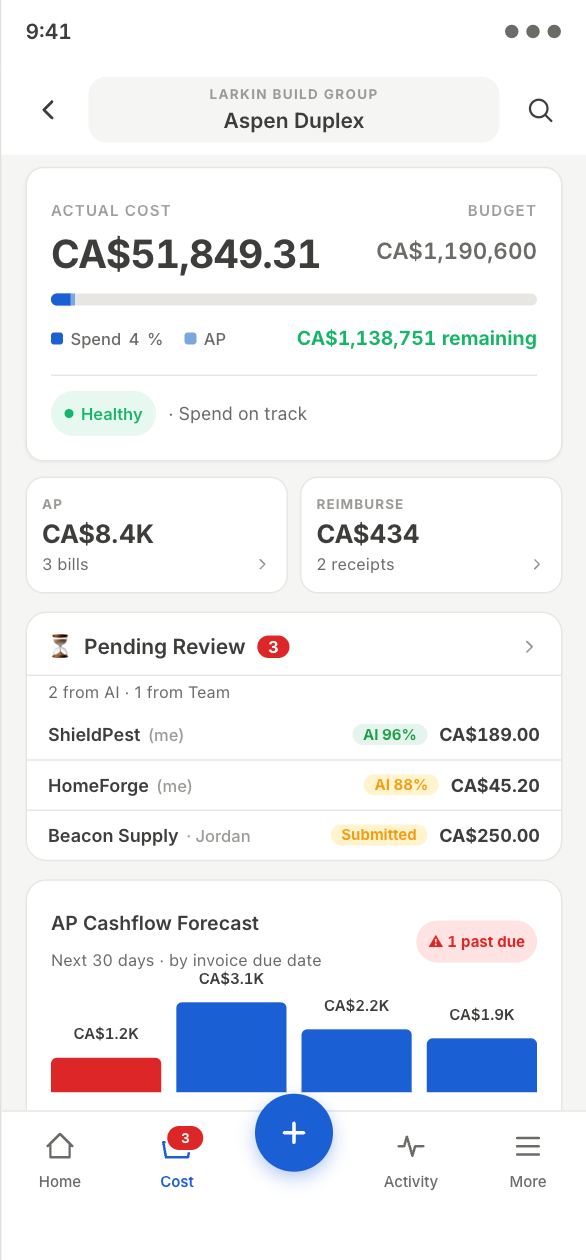
It starts the moment money moves.
Crew, office, or an invited supplier — anyone who spends drops the receipt or invoice in the moment. AI reads the vendor, amount, and tax, and categorizes it to the right budget line. You just review and confirm.
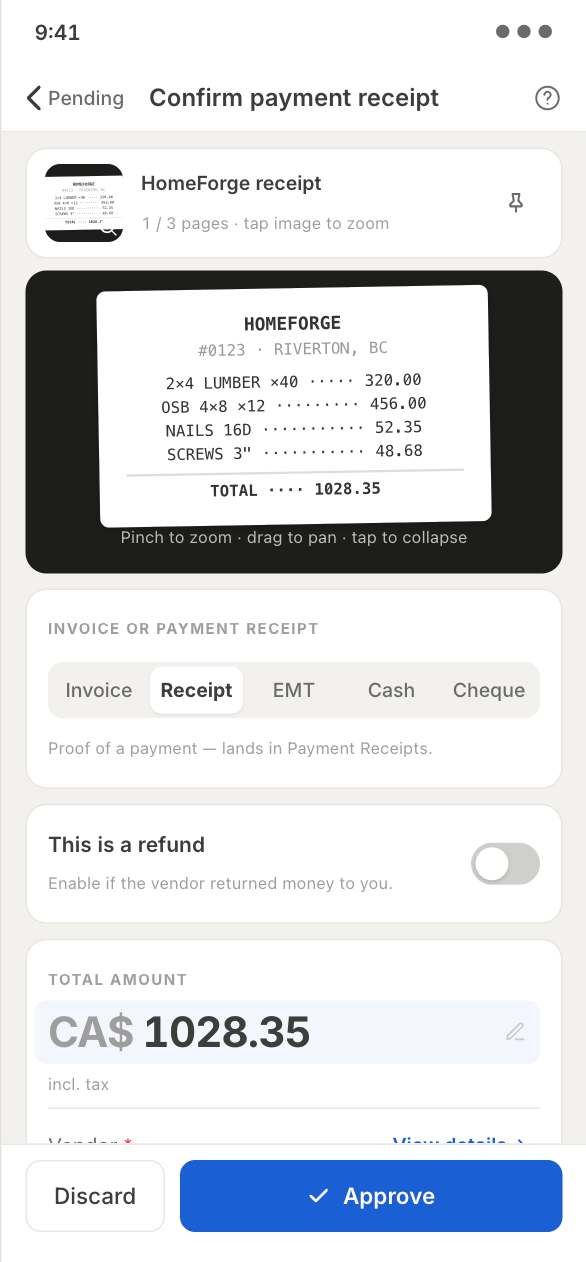
Approve is a decision, not data entry.
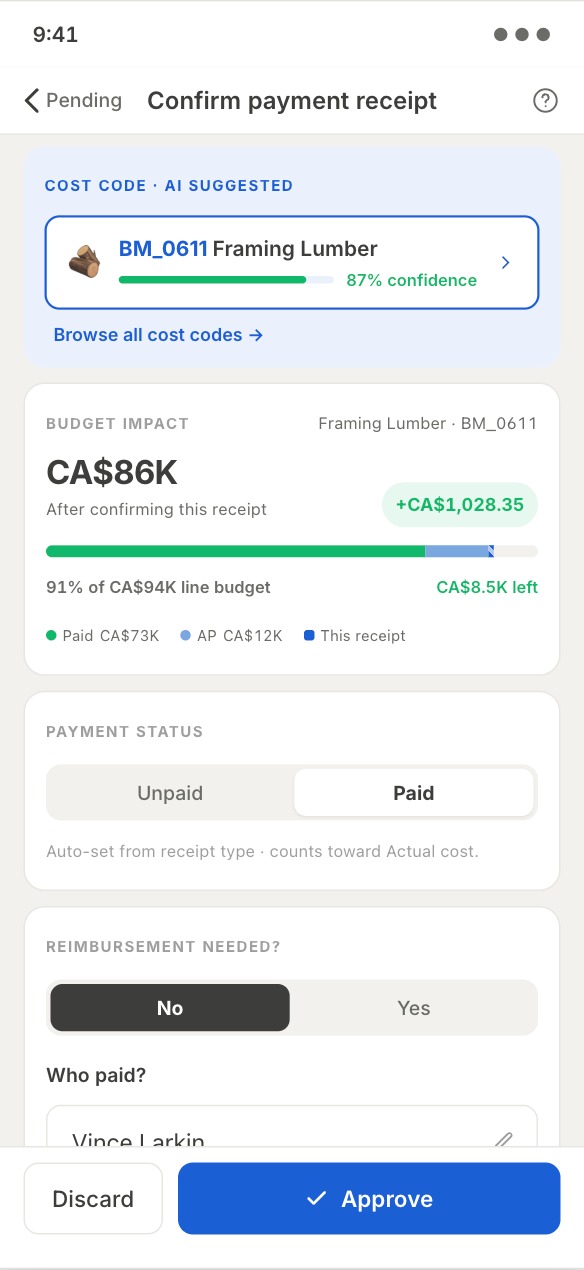
Before you confirm a receipt, you see exactly what it does — to that line, and to the project's total committed cost. Paid and unpaid (AP) sit together on one live budget bar, per cost line. You're not approving a number; you're approving its impact.
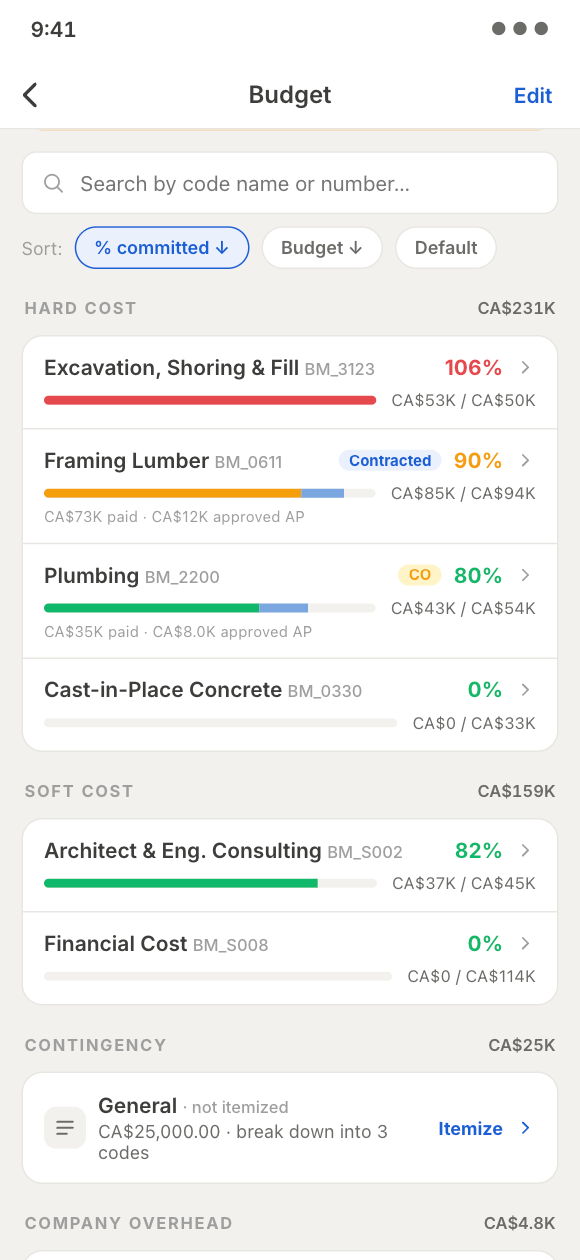
The line turns amber before you've paid.
Each cost line carries a green, amber, or red state that updates as costs are approved — so a line going over shows up on your budget screen, not weeks later when the books are pulled. The job that's bleeding surfaces itself, while there's still room to act.
Paid? Cleared? You can see both.
Link every invoice to its payment, then match that payment against your bank statement and mark it cleared. You always know what's paid, what's still outstanding, and what has actually cleared the bank.
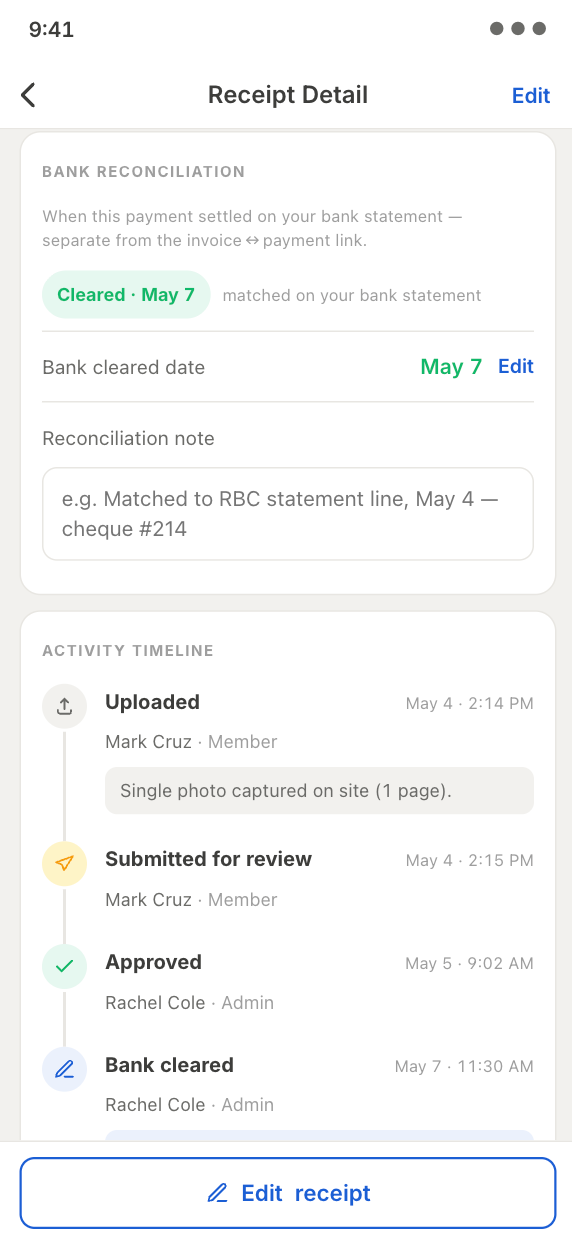
Know where you stand with every supplier.
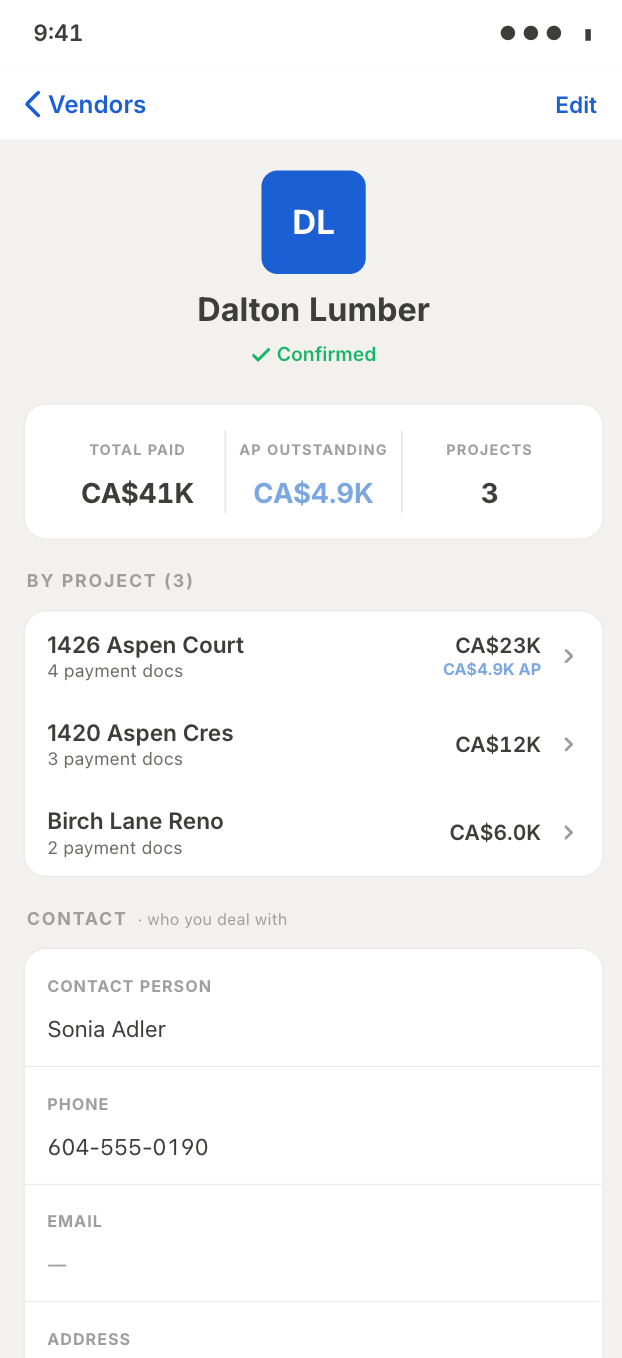
One profile per vendor follows you across every job — who you've given the most work, who you've paid the most, and what you still owe. So when you need a sub back on site to hit a deadline, you already know your footing before you make the call.
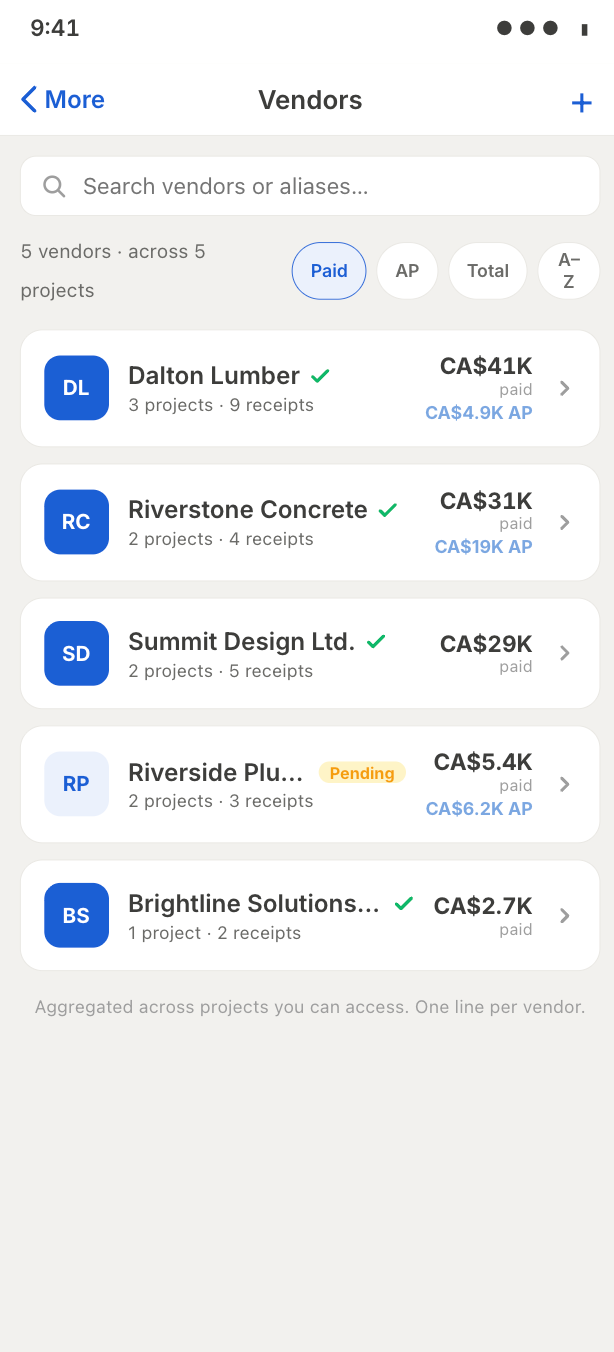
When the books are due, it's one tap.
Export a clean, structured CSV your accountant can work with — they get exactly what they need, without the back-and-forth.
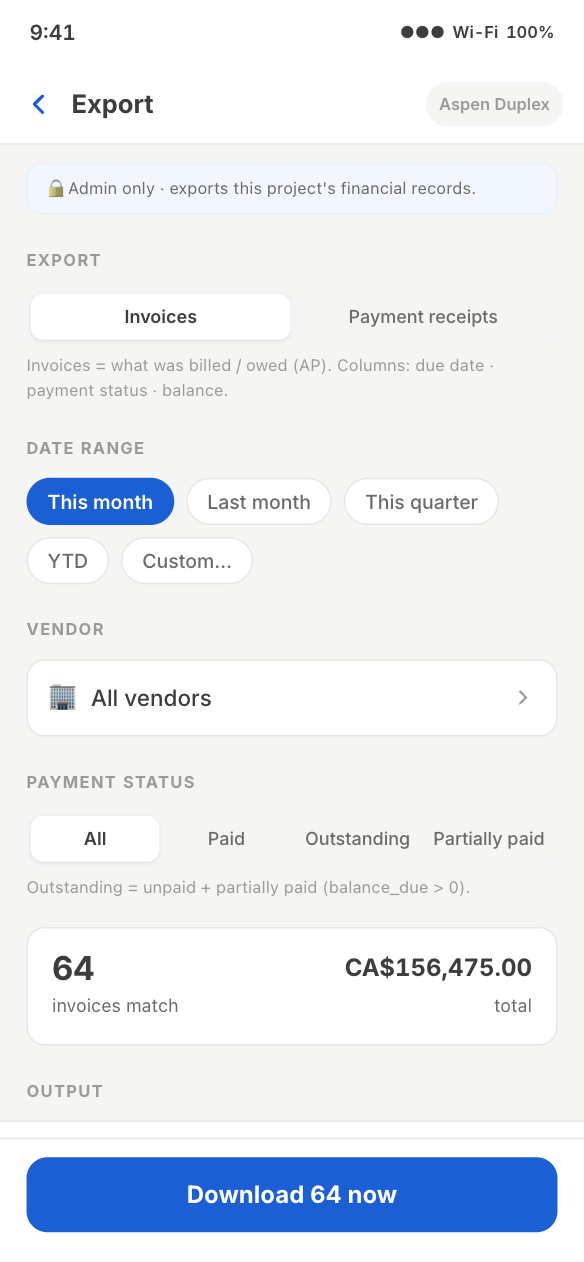
Today, you see every dollar in real time. That's the foundation everything else is built on.
Your data and your projects, working for you — getting sharper with every release.